
Stop Losing Users: Turn Your Website Into a Self-Serve AI Experience
When a visitor lands on your website, they aren't looking for a specific URL or a database entry—they are looking for an answer. Whether they're asking "How do I integrate with Shopify?" or "What is the best plan for a small team?", they are expressing a need, not just typing a string of keywords.
For too long, on-site search has been a neglected utility—a simple box that matches words. But now, the baseline expectation has shifted. Post-ChatGPT, users no longer tolerate interfaces that don't understand nuance. If your search bar still returns "No results found" because a user didn't use the exact terminology your developers used, you aren't just providing a poor user experience; you are actively losing ground.
The Hidden Cost of Keyword-Based Search
The 'Exact Match' Trap
Traditional search relies on an inverted index and simple string matching. If a user types "affordable skincare for oily skin" but your page is titled "Budget-Friendly Dermatological Solutions for Sebum-Rich Complexions," the system fails. The words don't match, so the result is zero.
This is the "Exact Match Trap." Users don't search the way your database is structured. They search with questions wrapped in context, emotion, and urgency. When they hit a dead end, they don't try to rephrase their query five times—they bounce.
The Gap Between Intent and Indexing
There is a fundamental disconnect between human language and machine indexing. A keyword-based system cannot decode intent. For example, it sees "how to improve sleep" as three separate words, not as a desire for wellness advice.
This gap creates a massive leak in your conversion funnel. If you pay for the click via SEO or paid ads, but the user can't find the answer, that marketing spend is wasted.
What is AI-Powered Site Search?
An AI-powered semantic search layer is not a database overhaul; it is an intelligence layer that sits on top of your existing content. It transforms your website from a static library into a dynamic, self-serve experience.
From Keyword Matching to Semantic Understanding
Unlike traditional search, ai-powered site search matches concepts, not just characters. It uses vector embeddings to understand that "cheap" and "affordable" mean the same thing in a specific context. It understands that a user searching for "integration help" is looking for documentation, not just every page that mentions the word "help."
How NLP Interprets User Intent
Natural Language Processing (NLP) allows the system to decode the meaning behind the query. When a user asks, "Can I use this for a team of ten?", the AI understands the intent is to check pricing or scalability. It doesn't just look for the phrase "team of ten"; it identifies the page that explains your team plans.
The 'Answer-First' Approach
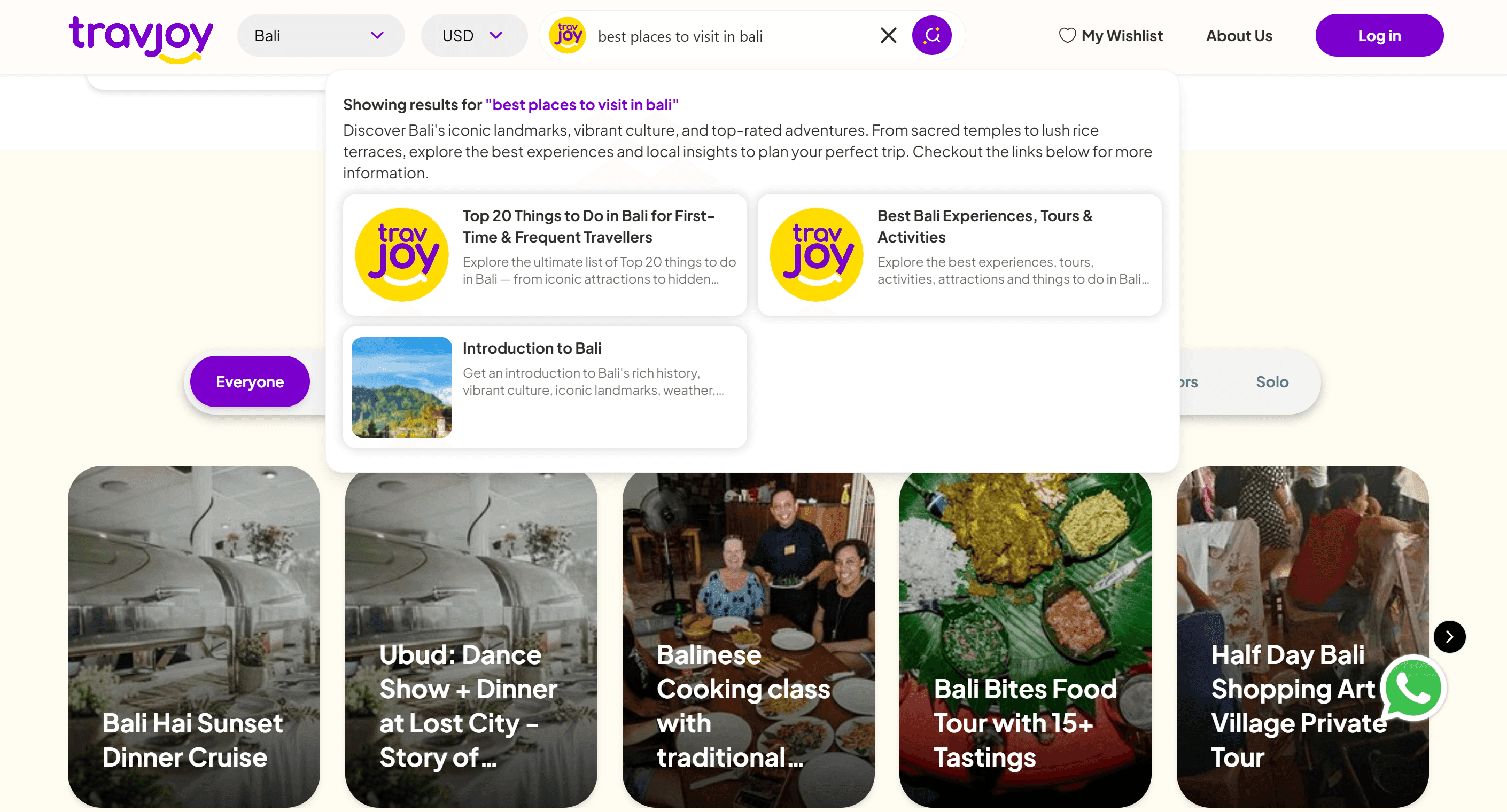
Modern users want the answer immediately. An intent-based search experience provides an "answer-first" response—a concise summary generated from your own content—followed by clickable sources. This ensures the user gets value instantly while maintaining trust through transparency. They can verify the answer by clicking the source link, eliminating the risk of AI hallucinations.
Semantic Search vs. Traditional Search: A Practical Comparison
| Feature | Traditional Keyword Search | AI-Powered Semantic Search |
|---|---|---|
| Logic | String matching (Exact words) | Conceptual matching (Meaning) |
| User Input | Requires specific keywords | Accepts natural language queries |
| Outcome | List of links (often irrelevant) | Direct answers + relevant sources |
| Failure State | "No results found" | Intelligent suggestions or related concepts |
| User Trust | Low (User must hunt for info) | High (System understands the user) |
Business Outcomes: Why Better Search Drives Growth
Implementing semantic on-site search is not just a UX improvement; it is a business strategy. Every performance metric that matters is affected by search.
Reducing Support Tickets When users find accurate answers instantly, they stop submitting repetitive tickets. By turning your documentation and FAQs into a self-serve engine, you deflect the burden from your support team. Instead of answering "How do I reset my password?" for the hundredth time, your team can focus on high-value, complex problems.
Increasing Conversions Search is often the highest-intent signal a user provides. If someone searches for "enterprise pricing," they are effectively raising their hand to buy. An ai website search that understands intent guides these high-intent leads to the right page faster, reducing friction and increasing the conversion rate.
Content Intelligence One of the most powerful aspects of AI search is content intelligence. By analyzing what people are searching for—and what they can't find—you get a roadmap for your content strategy. If 20% of your users are searching for a specific API endpoint that you haven't documented yet, your search data tells you exactly where your content gaps are.
Implementing AI Search Without the Technical Headache
For many teams, the idea of an AI integration sounds daunting. However, the most effective solutions are designed as a semantic layer that plugs into your existing site with minimal disruption.
Low-Friction Integration
To improve user journeys with better discovery, you don't need to rebuild your entire site architecture. You need a tool that can index your existing pages, docs, and help articles and make them discoverable through a natural language interface.
Transparency and Source Citation
Trust is the currency of the AI era. To avoid the "black box" feel of some AI tools, your search experience must be grounded in your own data. By providing clickable sources for every answer, you ensure that the AI is not guessing, but is instead summarizing your actual content.
Practical Implementation Checklist:
- Audit your current search "No Results" pages.
- Identify the top 5 most common support tickets that could be solved via search.
- Ensure your content is structured in a way that AI can easily index.
- Set up a source-citation system to maintain transparency.
- Monitor search intent data to identify content gaps.
Conclusion: Making Your Content Work Harder
Your content is an asset, but only if it is discoverable. If you are still relying on legacy search in 2026, you are not just missing out on better UX—you are actively losing ground to competitors who understand their users' intent. Stop letting your visitors bounce because they didn't use the "right" word.
Turn your website into a self-serve AI experience that understands what people mean. Experience a search layer that actually understands your users—Try Seekrs today.
FAQ
What is the difference between keyword search and semantic search? Keyword search looks for exact word matches in your content. Semantic search understands the meaning and intent behind a query, allowing it to find relevant results even if the exact words aren't used.
How does AI-powered site search improve the user experience? It eliminates "No results found" pages and provides direct, natural language answers, reducing the friction for users to find the exact information they need.
Can AI search help reduce the volume of customer support tickets? Yes. By providing a self-serve experience where users can find accurate answers to common questions instantly, many repetitive queries are deflected from support teams.
How do I know if my current site search is failing my users? Check your analytics for a high volume of zero-result searches or a high bounce rate from your search results page.
Does AI search provide direct answers or just a list of links? Seekrs provides an "answer-first" approach, combining a direct, concise answer generated from your site content with clickable source links for verification.