Search Intent Analysis: How to Understand What Your Users Actually Want
Most businesses treat their website search bar as a utility—a simple tool to help users find a page. In reality, it is the most honest source of customer feedback you own. Every query is a direct statement of user need. When you ignore this data, you miss the most accurate roadmap for your content and product strategy.
To grow, you need to move beyond keyword tracking and embrace search intent analysis. This process allows you to understand not just what people are typing, but why they are typing it and what they expect to find.
What is Search Intent Analysis?
Search intent analysis is the process of identifying the purpose behind a user's query. While traditional SEO focuses on the words used, intent analysis focuses on the goal the user wants to achieve.
Defining Intent vs. Keywords
A keyword is the string of text a user enters. Search intent is the "why" behind that text. For example, if a user searches for "things to do in Bali," they could be looking for a travel itinerary (informational), tour packages (commercial), or a list of nearby attractions (navigational).
If your site only matches the words "Bali" and "things to do," it might show a generic destination page when the user actually wanted a curated itinerary or activity guide. This mismatch is where users bounce.
Why Intent is the Primary Driver of Conversions
When a user's intent matches the page content, friction disappears. Conversion happens when the user feels understood. By using AI-powered semantic search, your website can interpret natural language and deliver the exact answer the user is seeking, regardless of whether they used the "perfect" keyword.
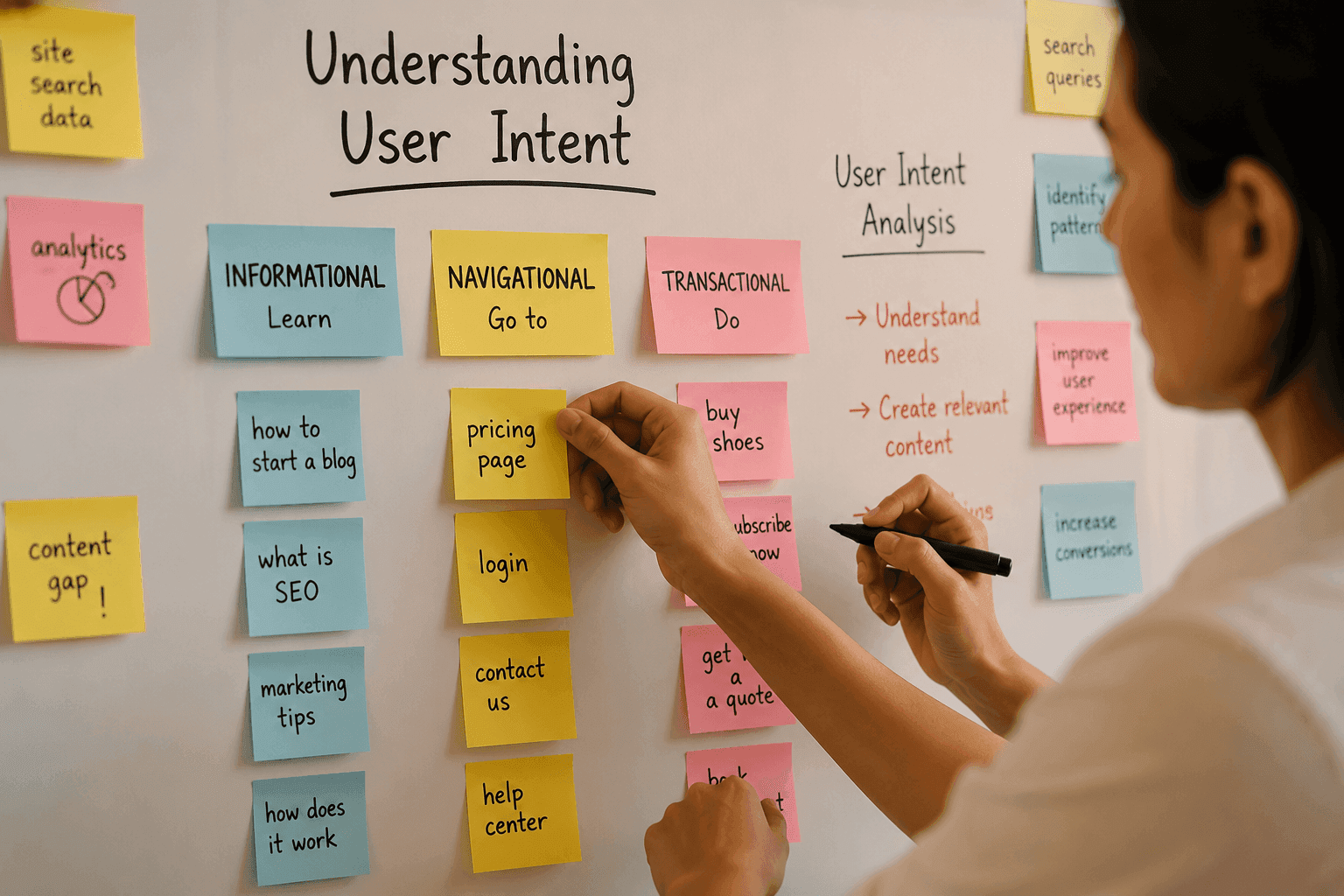
The 4 Core Types of Search Intent
Understanding these categories helps you map your content to the user journey.
Informational: The Quest for Knowledge
Users are looking for answers, guides, or how-to content. They are identifying a problem but aren't ready to buy yet.
- Example: "How to reduce churn rate"
Navigational: The Shortcut to a Destination
Users want to reach a specific page or tool. They know where they want to go; they just want the fastest route.
- Example: "Account settings" or "Pricing page"
Commercial Investigation: The Comparison Phase
Users are comparing options or looking for the best solution. They have a clear intent to buy but are still researching.
- Example: "Best AI search tools for documentation"
Transactional: The Intent to Act
Users are ready to purchase, sign up, or download. This is the highest-intent traffic.
- Example: "Get subscription" or "Start free trial"
The Blind Spot: External vs. Internal Search Intent
Most SEOs focus on external search intent (what people search for on Google). However, while Google Analytics tells you where visitors came from, internal search analytics tell you what they actually wanted after they arrived.
Why Google SERPs Only Tell Half the Story
External data shows you how to attract traffic. Internal data shows you how to retain it. If a user arrives via a Google search for "best CRM" but then uses your on-site search for "API documentation," their intent has shifted from discovery to implementation. If you can't track this shift, you're missing the core of the user experience.
The Value of On-Site Search Data
Your on-site search optimization strategy should treat the search bar as a business intelligence tool. By monitoring searches, impressions, and clicks, you can identify which pages are generating the most engagement and which are failing to meet user expectations.
Identifying 'Zero-Result' Queries as Content Opportunities
Zero-result queries—searches that return no results—are goldmines for content teams. They represent unmet needs. For instance, if you see a spike in searches for "SSO configuration" but your documentation is silent on it, you've found a critical content gap. This is the most direct form of content gap analysis possible.
How to Perform a Search Intent Analysis
To move from assumptions to data-driven decisions, follow this three-step process:
Step 1: Analyzing External SERP Patterns
Look at the top-ranking pages for your primary keywords. Are they lists, guides, or product pages? This tells you what Google believes the intent is. Align your content format with these patterns to improve your on page seo.
Step 2: Auditing Your Website Search Dashboard
Use a website search dashboard to track the following metrics:
- Search Volume: Which queries are most common?
- Click-Through Rate (CTR): Which queries lead to a click?
- Zero-Results: Which terms are users searching for that you don't have content for?
- Conversion Rate: Which search terms lead directly to a sign-up or purchase?
Step 3: Mapping Queries to the User Journey
Categorize your top internal searches into the four intent types. If you see a high volume of informational queries on a transactional page, your navigation may be confusing, or your content may be lacking.
Turning Intent Analysis into Content Growth
Once you have the data, you must act on it to improve the user experience.
Performing a Content Gap Analysis - Use your zero-result searches to build your editorial calendar. Instead of guessing what your audience wants, let your users build your content strategy. Prioritize pages based on actual user demand rather than keyword volume tools.
Optimizing for Semantic Meaning, Not Just Keywords - Traditional search relies on exact-match keywords. If a user types "wireless earbuds with noise cancellation," but your page is titled "Bluetooth Noise-Cancelling Earbuds," a basic search tool might miss it. Semantic search understands the meaning behind the words, ensuring users find the right answer even if they don't use your specific terminology.
Improving On-Page SEO Through Intent Alignment - To improve your seo on website, ensure that the heading, the answer, and the call-to-action (CTA) on your page align with the user's intent. If the intent is informational, provide the answer first, then lead them toward a commercial solution.
Moving Toward Intent-Aware Discovery
The Limitation of Exact-Match Search
Exact-match search is a dead end. It requires the user to do the work of guessing your website's internal language. When users can't find what they need, they bounce or submit a support ticket—such as a user searching for "payment failure" and finding nothing, leading to an unnecessary ticket for your support team.
How Semantic Search Layers Solve the Intent Gap
By implementing a semantic search layer, you can understand user intent in real-time. This transforms your search bar from a simple filter into an intelligent assistant that understands natural language and provides instant, sourced answers. This reduces support tickets and increases conversions by removing the friction between the user and the answer.
Experience intent-aware search—see how Seekrs understands your visitors.
FAQ
What is the difference between a keyword and search intent?
A keyword is the specific word or phrase a user types into a search bar. Search intent is the goal or purpose behind the query—the "why" they are searching.
How do I identify the intent behind a specific search query?
You can identify intent by analyzing the top-ranking pages in search results (SERPs) or by auditing your internal website search queries to see what users are clicking on and where they are finding success.
How can on-site search data be used for content gap analysis?
Zero-result searches are the most direct indicator of content gaps. By tracking what users are searching for but not finding, you don't have to guess what content, FAQs, or products you need to create.
What happens when a user's intent doesn't match the page content?
When there is a mismatch, the user experiences friction and typically bounces from the site, often submitting a support ticket or giving up on the search entirely.
How does semantic search improve the user's ability to find answers?
Semantic search understands the meaning and intent behind a query rather than just matching keywords. This allows it to return the most relevant results even if the user doesn't use the exact words found on the page.